On this page
Checked against OpenAI's and Anthropic's own pages, November 2026.
The short answer: most small business owners do well with either one. The paid plans of both can write your emails and quotes, read your files, connect to your email and calendar, and keep your chats out of AI training. Pick the one that suits the jobs you do most, set it up properly, and use it every day. That matters far more than which logo is on the screen.
We teach both side by side, so here's how we'd think it through if you were sitting with us.
What each is good at for day-to-day business jobs
Here's a real one. Blake runs Perth Complete Electrical, and he reckons he's saving 25 to 30 hours a week that used to go on chasing things up and hunting for information. Now he just asks Claude. What was last month's profit and loss? (It reads Xero.) Which jobs are still outstanding, and where is the team working tomorrow? (ServiceM8.) When is he free to pick up new stock? (His calendar and ServiceM8.) And plenty more.
Blake uses Claude, but the idea works in either tool, as long as it can connect to the apps you already run your business on. Here's how the two compare on the everyday jobs.
Quotes and proposals. Both do this well. Give either one your price list, your standard terms and a couple of past quotes, and it can turn "switchboard upgrade in Joondalup, two-storey, tight roof space" into a draft quote in your format. Both let you keep those files in a project (a folder for one area of work, with its own instructions and files), so you don't upload them every time.
Customer emails and follow-ups. Both can draft a reply to an annoyed customer, a polite nudge on an unpaid invoice or a follow-up three days after a quote. Many owners find Claude's first drafts sound a little more natural and need less editing. Others are just as happy with ChatGPT once it knows their style. Try the same email in both and see which one sounds more like you.
Marketing. Both write social posts, Google Business updates and email newsletters. The clearest difference is images. ChatGPT creates images, so it can make a flyer, a social graphic or a "before and after" mock-up. Claude doesn't create photos or illustrations. It makes charts, diagrams and simple interactive visuals instead.
Summarising. Both are strong here. Paste in a long tender document, a supplier contract or a 40-email thread and ask for the five things you need to know. Both can also read PDFs, Word documents and spreadsheets you upload.
The numbers. Both can work through a spreadsheet export from your accounting or job management software and tell you which jobs made money, which customers pay late and where the month went. Claude can turn the result into an interactive chart or a one-page dashboard right in the chat. ChatGPT can produce finished files such as spreadsheets and documents. Both have official connections to Xero and MYOB in their app directories, with access depending on your plan and setup.
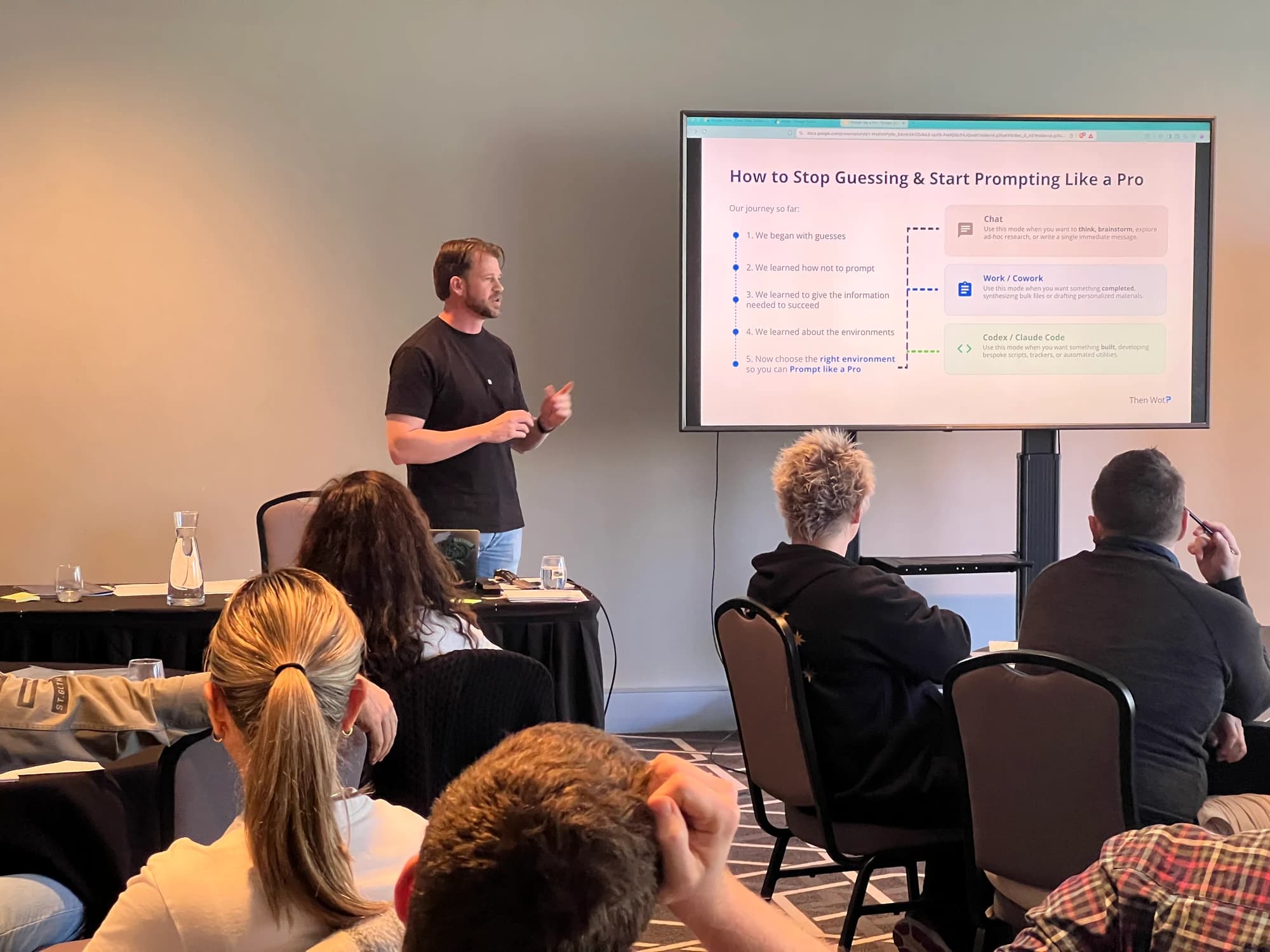
Bigger, multi-step jobs. Both now have an "agent" mode, where the assistant works through a job in steps instead of just answering. In Claude it's called Cowork, and it can work on files in a folder on your computer from the desktop app. In ChatGPT it's called Work, and the desktop app can also read and write in a folder you choose. Both can run scheduled tasks, such as a Monday morning summary of your week.
| Everyday job | Claude | ChatGPT |
|---|---|---|
| Quotes and proposals | Yes | Yes |
| Customer emails and follow-ups | Yes | Yes |
| Marketing copy | Yes | Yes |
| Summarising documents | Yes | Yes |
| Working through your numbers | Yes | Yes |
| Agent mode for bigger jobs | Yes | Yes |
| Creating images | No | Yes |
How they differ on the things owners worry about
Writing in your voice
Neither one sounds like you out of the box. Both get much closer once you tell them who you are, how you write and what you never say. Claude does this through your profile, project instructions and skills (saved step-by-step instructions for a job you repeat). ChatGPT does it through custom instructions, project instructions, custom GPTs and skills.
The bigger win is writing your business down once, in plain files that both can read: your services, prices, customers, tone and rules. We call that a Business Brain, and the same files work in either tool. Whichever you choose, ten minutes spent here beats hours of rewording drafts.
Working with your files, email and calendar
As of November 2026, both connect to the apps most Perth service businesses already use.
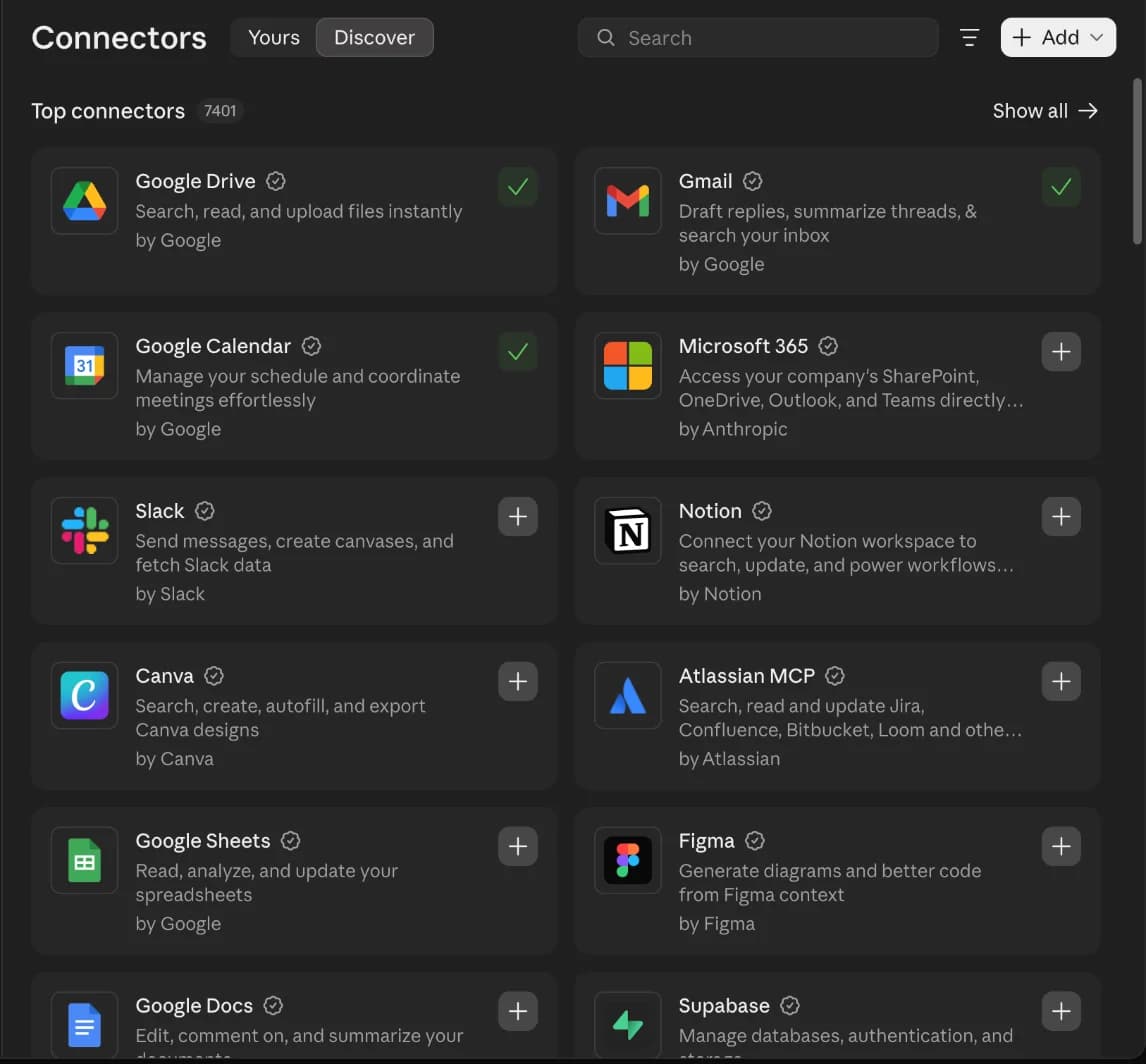
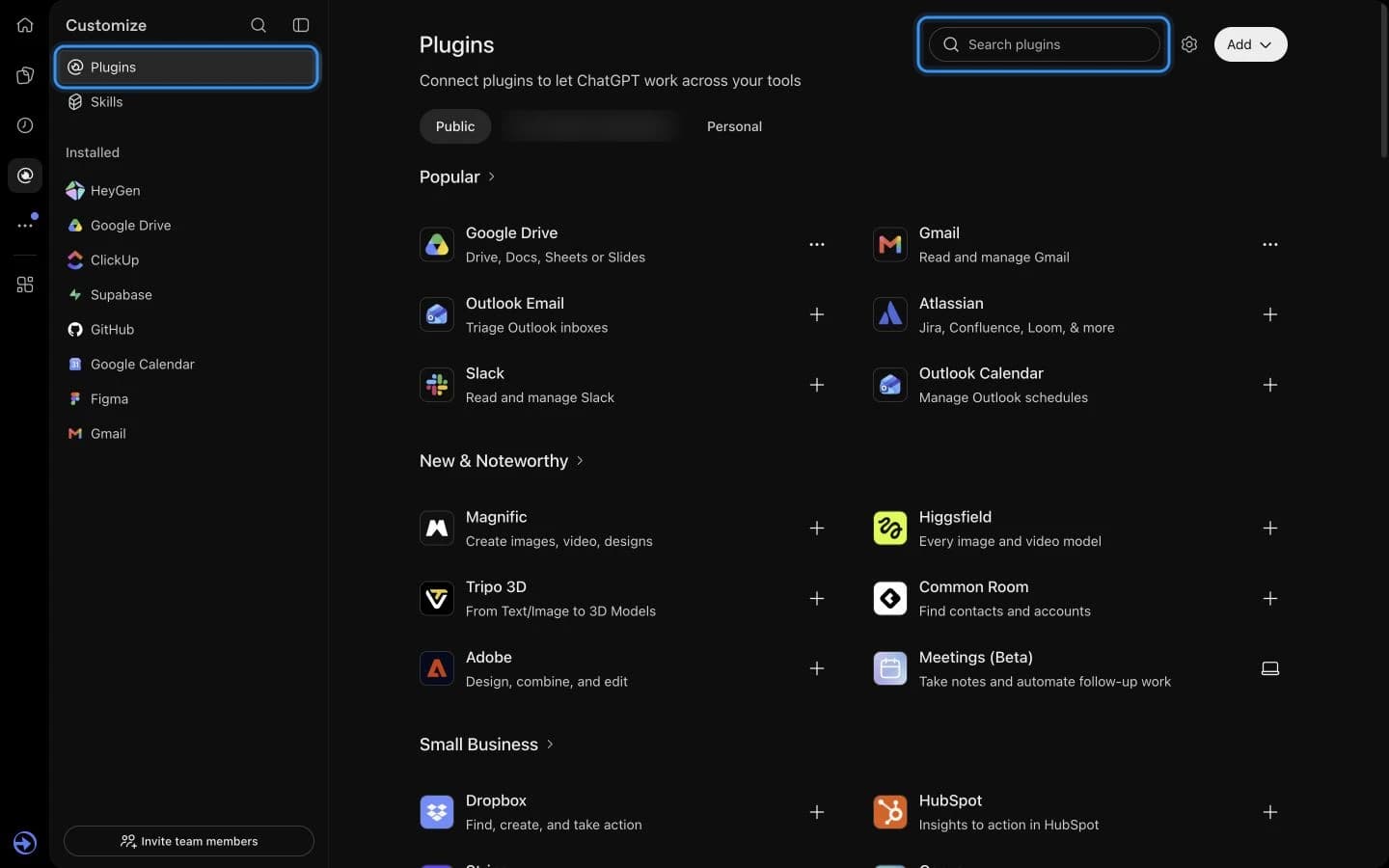
- Google (Gmail, Calendar, Drive): both connect. Claude's Google connectors are available on all plans. It can search and read email, and send, reply or forward after asking you first.
- Microsoft 365 (Outlook, OneDrive, SharePoint, Teams): both connect. On a work account, your Microsoft administrator usually has to approve it once.
- Other apps: both have large directories. Claude calls them connectors. ChatGPT now calls them plugins or apps.
Both ask before they send, change or delete anything by default. Keep it that way while you learn. Start with read-only jobs like "summarise what came in overnight and what needs a reply today" before you let either one act for you.
Keeping client data out of training
This one is simple once you know the rule for your plan.
- Team plans (Claude Team, ChatGPT Business): neither company trains its models on your business's chats by default. There's nothing to switch off.
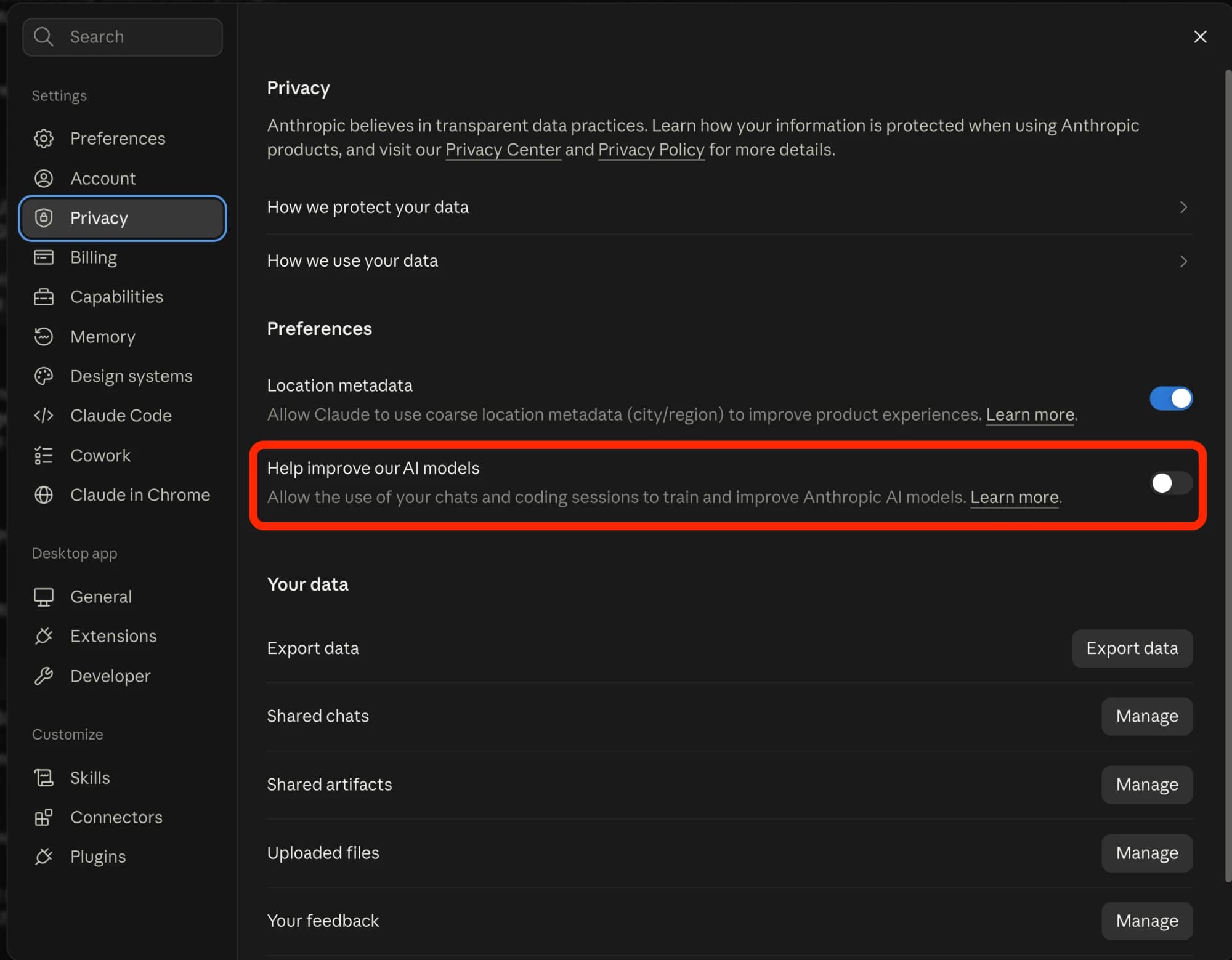
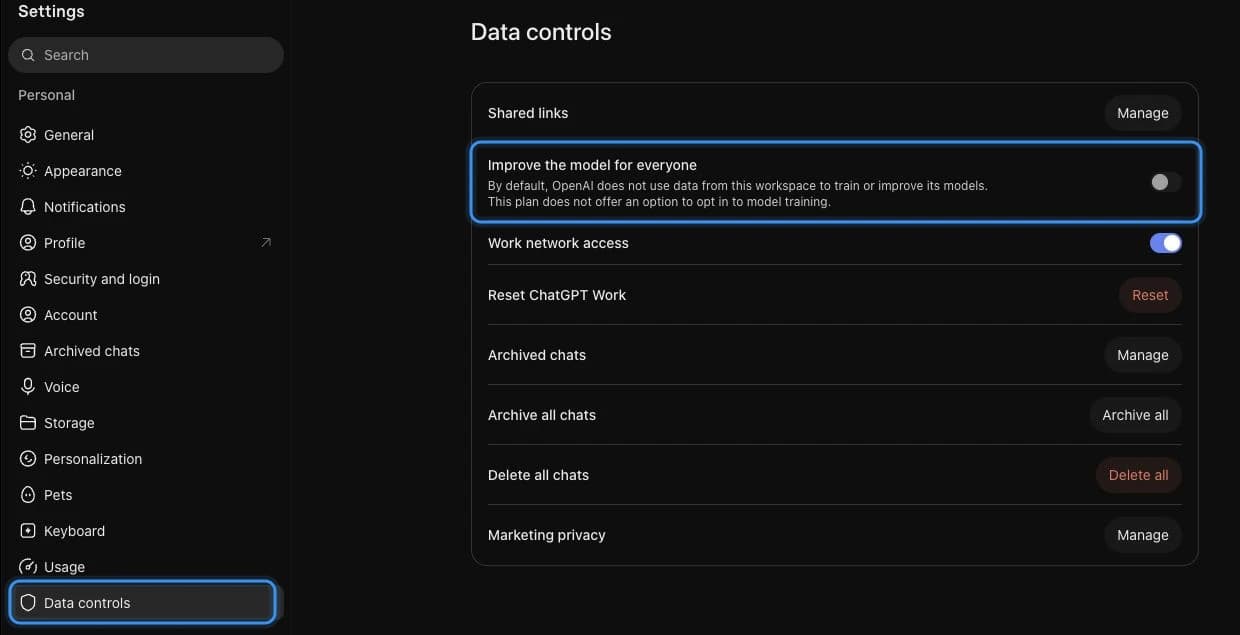
- Individual plans (Claude Free, Pro and Max; ChatGPT Free, Plus and Pro): both can use your chats for training unless you switch it off. In Claude, go to Settings, then Privacy, and turn off Help improve our AI models. In ChatGPT, go to Settings, then Data controls, and turn off Improve the model for everyone.
One catch on both: giving a reply a thumbs up or down can send that conversation to the company as feedback, so skip it on anything sensitive. And whatever your settings, never paste passwords, bank or card details, tax file numbers or health information. Our guide to keeping client data safe in ChatGPT goes into more detail.
Which should I pick?
If you're still unsure, match it to the job you'll do most.
| If your main job is... | Better fit | Why |
|---|---|---|
| Quotes from your price list and templates | Either | Both keep your files in a project |
| Customer emails that sound like you | Either; try Claude first | Many owners find its drafts need less editing |
| Social graphics, flyers, mock-ups | ChatGPT | It creates images; Claude doesn't |
| Charts or a dashboard from your numbers | Either; Claude's are interactive in the chat | Both read spreadsheets |
| Working through a folder of files on your computer | Either | Claude Cowork or ChatGPT Work in the desktop app |
| Your team already uses one of them | That one | Habit beats features |
| You're not sure | Either | Pick one and use it daily for a month |
For the plan itself, we keep it simple:
- Just you: Claude Pro or ChatGPT Plus. Free runs out of usage too quickly for real work, and the bigger plans are more than you need to start.
- Two or more people: Claude Team or ChatGPT Business, with Standard seats. Both start at two people, give everyone their own login under one bill, and keep your chats out of training by default.
Both companies bill in US dollars, so the amount on your statement moves a little with the exchange rate each month. Our cost guide has the current Australian numbers and what to know about GST.
Why plenty of owners use both
Using both is more common than you'd think, and it isn't wasteful if each one earns its spot.
- Different strengths. A common split is Claude for writing and working through documents, and ChatGPT for images and quick questions on the phone.
- A second opinion. When something matters, like a big tender or a tricky reply to a customer, running it past the other one catches mistakes and gives you a better option.
- Nothing locks you in. If your business knowledge lives in plain files, moving between them takes minutes.
That said, if you're just starting, one paid plan used every day will do more for your business than two used occasionally. Add the second when you hit something the first can't do.
FAQ
Is ChatGPT or Claude better for small business?
Neither is better across the board. Both handle emails, quotes, summaries and marketing well. ChatGPT creates images; Claude doesn't. The best one is the one you set up properly and use every day.
Can I use the free version of ChatGPT or Claude for my business?
You can try it, but the free plans run out quickly and you'll need to switch off training yourself. One paid individual plan is enough for most owners.
Do ChatGPT and Claude use my business data for training?
Not on their team plans (ChatGPT Business and Claude Team), by default. On individual plans they can, unless you switch it off in Settings. It takes about a minute.
Can ChatGPT or Claude read my emails and calendar?
Yes. Both connect to Gmail, Google Calendar, Outlook and more, and both ask before sending or changing anything by default.
Is ChatGPT or Claude available in Australia?
Yes, both are available in Australia, on the web, desktop and phone apps.
Should my staff share one account?
It's better if they don't. Claude Team and ChatGPT Business give each person their own login under one bill, with your chats kept out of training.
Sources
Checked 11 November 2026.
- OpenAI, ChatGPT pricing
- OpenAI, ChatGPT Business
- OpenAI Help Center, ChatGPT Business: General FAQ
- OpenAI Help Center, Data controls in ChatGPT
- OpenAI Help Center, Connected apps in ChatGPT
- OpenAI Help Center, Outlook Email and Calendar apps in ChatGPT
- OpenAI Help Center, Memory in ChatGPT
- Anthropic, Claude plans and pricing
- Claude Help Center, Use Google Workspace connectors
- Claude Help Center, Connect to Microsoft 365
- Anthropic Privacy Center, How do I change my model improvement privacy settings?
- Claude Help Center, Can Claude produce images?
- Claude Help Center, Claude memory and chat search
- Claude Help Center, Get started with Claude Cowork